

- cross-posted to:
- technology@beehaw.org
cross-posted from: https://lemmy.ml/post/30792652
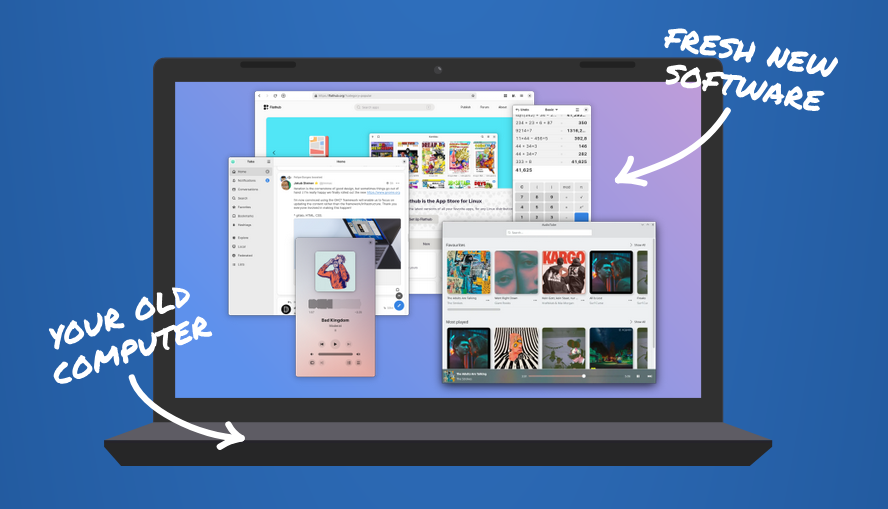
Support for Windows 10 ends on October 14, 2025. Microsoft wants you to buy a new computer. But what if you could make your current one fast and secure again?
If you bought your computer after 2010, there’s most likely no reason to throw it out. By just installing an up-to-date Linux operating system you can keep using it for years to come.
Installing an operating system may sound difficult, but you don’t have to do it alone. With any luck, there are people in your area ready to help!
5 Reasons to upgrade your old computer to Linux:
- No New Hardware, No Licensing Costs
- Enhanced Privacy
- Good For The Planet
- Community & Professional Support
- Better User Control
My PC had been running like shit for a while and I was already weighing up options for replacing it, when I got the popup message from MS about Windows 10 expiring, and how my only option was to dump the PC. So I installed Linux out of pure spite. Runs like a dream now. Thanks Microsoft!
If you bought your computer after 2010, there’s most likely no reason to throw it out.
Frist of all, how dare yo u
I just toss it in a lake so the fish can have internet.
Coral habitat
Corel draw joke in there somewhere
Ain’t no coral in lakes!
Technicalities
You don’t need to buy a new computer. You just need to upgrade your old computer.
To Linux.
Which then makes it run like a new computer. So Linux basically gives you a free new computer.
Hmm Windows 10 LTSC and IOT will still be supported until 2027.
Debian Trixie, now is the time to shine, release soon please.
You can already switch to it though. Why wait?
Maybe he made a typo and meant Debian 13
Not that I’m against doing this, but just so people are aware, running LTSC or IoT is essentially a violation of EULA unless your license of Windows is Enterprise or Education. Home and Pro aren’t valid for this. Yes, there are activation scripts available online, but personally, if Microsoft doesn’t want me to run Windows, it’s their loss, not mine.
What does it mean in practice for windows 10 to reach end of life? There are no more security updates? My vm will stop working? They are preventing you from using your computer?
If anyone is interested to try out Linux distros, you can do it in your web browser at https://distrosea.com/
Can I bother anyone in this thread to help with suggestions for a Linux distro that works for a gaming PC that won’t require me to have a computer science degree? I’m not afraid of some troubleshooting here and there, but I’m kind of dumb.
Edit: I should have known there’d be a shotgun load of different distros, good thing I’ve been gifted with e-“waste” for years, I’ve got some tinkering to do. Hyper-fixation, here I come.
Bazzite is generally the go-to for gaming.
Thank you!
My journey was: Kubuntu -> Tuxedo OS -> Garuda Linux.
Kubuntu was painful, lots of issues. Maybe just got unlucky, but cannot recommend it.
Tuxedo OS was phenomenal until I bought a GPU. Then stuff broke left and right. I wasn’t able to get Steam to launch anymore so I switched.
Garuda Linux is the one I still use. I had it for 53 days and had no severe issues to date. There’s still a bunch of stuff that needs ironing out, but that’s the case with all Linux distros, it’s never “fire and forget” like Windows, in my experience.
I chose Garuda because it’s advertised as “the Linux for gamers”. It’s packed with extra goodies that make life easier - you can pick and choose popular apps to be installed right away (things like Lutris, Steam, Heroic Launcher, Proton, Vivaldi browser), and you get an application that helps with maintenance.
The only major issue I had was due to my ignorance (but I kind of blame it on the OS because it was supposed to be “noob friendly” and this bit was very much not so) - just after installation and updates you’ll get the system maintenance app ask you to “merge pacdiff files”. This shows up a comparison window of two files, and if you’ve never used Linux you have no clue what’s going on. When you get that, just don’t overwrite the one on the right with the one on the left - you’ll break the entirety of your package manager. :D
Other than that: I’m having a great time. The OS looks pretty, games run great. 9/10
I’d say anything mainstream and not esoteric should do the trick. I’m talking Ubuntu, PopOS and so on.
My partner is currently running PopOS. They somehow managed to combine the chronically outdated Ubuntu packages with a rather counterintuitive UI.
Updates frequently fail, commonly used packages like gamescope aren’t available, overall wouldn’t recommend.
oh… never actually tried it myself. welp too bad, it seemed like a fair distro to check out. nvm…
I installed mint on a new laptop recently and it was completely painless. To be fair I’ve used Linux before but it’s been over a decade and I didn’t have any major hiccups. I installed steam and was playing games within 15 minutes of finishing the install. The UI is very familiar and comfortable for windows users and the entire ux seems to be designed around not making you use the terminal unless you have to. I highly recommend trying it out.
Maybe Q4OS, but if you a Gamer, which want to play the most recent games (logically in a Gaming PC), Linux sadly isn’t the best option, the most modern games are Windows only, the advantages of Linux are others. In this case the best option is to use Linux in dual boot with Windows. I hope that it change in the future.
Why 2010, is it cause of 64bit processors?
I believe it’s TMP 2.0 support
The only thing keeping me on Windows is Teamcraft for FFXIV. It has packet capturing on Windows, but not on Linux because of the way they’re doing packet capturing. There have been people who claim to get it working, but it’s still not 100%. I could even use plugins to get ACT (DPS meter) working, but sadly no plugins for Teamcraft…
That’s interesting because pcapping is definitely not some windows exclusive feature, and the means are pretty transferable. I wonder what the hold up is.
Yea, that’s very weird. It’s open source so anyone could make changes to it, but still.
deleted by creator
I worked on this myself: there’s no way to get it working no matter what anyone says they managed to get working
You can force team craft to run on the same wine prefix (XIV launcher makes that ezpz) and everything fancy related to that and it just doesn’t work
deleted by creator
The game uses wine, but the packet capturing just doesn’t work.
Don’t let this hold you back.
Legitimately it’s this and COD that keep Win10 LTSC on one of my drives it’s that useful for the game
The other nice thing about Linux is that there are several Live versions you can try out on your computer without making any changes to your Windows installation.
This also lets you see if check and see if Linux fully supports your hardware (just in case you have a weird network or audio card). If the Live version of Linux works, the installed version will, as well.
Most installers let you set up a dual boot on the same hard drive, too.
I love this. I recently set up a “Linux flight” with various distros on a bunch of thumb drives to test drive the latest. I decided to stay Kubuntu but it made experimenting so quick and easy.
I have some friends and family that cant upgrade from Windows 10, so I’m going to keep the flight and walk them through trying out some personally selected distros.
Using Steam, Heroic, and Bottles you can even run Windows software almost perfectly, too. There’s never been a better time for regular folks to make the switch.
How viable are modern nvidia cards (like 4070) on linux today? Mainly for gaming. I’ve heard there are some driver issues that can cause problems, any truth to this claim?
Most problems with newer cards have been fixed with version 550. Gaming related, the only thing that will cause you pain is VR or Kernel Level AC
Thanks. So just use official Nvidia drivers and I’m good to go? Thinking of moving to fedora if it maters.
I started with Bazzite and moved from there to Garuda. Both have an Nvidia version that just takes care of that for you. I’ve never had to worry about drivers.
As someone getting back to pcs and trying linux, it warms my heart because I am scared of VR and shite at online games. This is the place for me.
Came to Lemmy while my disk manager is processing my new partition.
If it goes well, I’m switching today.
So, probably some time early tomorrow morning. Because I’m not great with reading instructions.
Edit: it’s still processing. It feels like it shouldn’t take this long to partition…
if you are shrinking or modifying an existing partition to make room, it will take quite a while
Linux has gotten incredibly better for gaming. Now Bluetooth controllers connect just as easy as Windows, and Steam has Proton built in so that when you run a Windows only game, Steam will automatically install the appropriate Proton and Wine software – just make sure to turn on compatibility mode in the Steam launcher settings. Every game I ran so far runs fine on Linux.
It couldn’t be a better time to switch to Linux.
Xpadneo is baked into Ubuntu 25 now? I noticed it was in Fedora 42.
10 still has over 50% market share (source)
You can still install a 32 bit distro on your pc but it’s not that common (For example: LMDE)