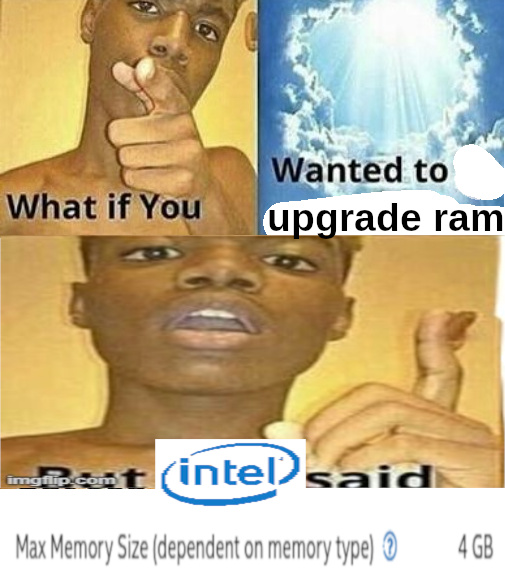
7 websites, Jellyfin for 6 people, Nextcloud, CRM for work, email server for 3 domains, NAS, and probably some stuff I’ve forgotten on a $4 computer from a tiny thrift store in BFE Kansas. I’d love to upgrade, but I’m always just filled with joy whenever I think of that little guy just chugging along.
Hell yeah, keep chugging little guy 🤘
Heck yeah
Which CRM please?
EspoCRM. I really like it for my purposes. I manage a CiviCRM instance for another job that needs more customization, but for basic needs, I find espo to be beautiful, simple, and performant.
Sweeeeet thank you! Demo looks great. Now to figure out whether an uber n00ber can self host it in a jiffy or not. 🙏
Interested in how it does jellyfin, decent GPU or something else?
It does fine. It’s an i5-6500 running CPU transcoding only. Handles 2-3 concurrent 1080p streams just fine. Sometimes there’s a little buffering if there’s transcoding going on. I try to keep my files at 1080p for storage reasons though. This thing’s not going to handle 4k transcoding very well, but it does okay if you don’t expect too much from it.
I’m skeptical that you are doing much video transcoding anyway. 1080p is supported on must devices now, and h264 is best buddies with 1080p content - a codec supported even on washing machines. Audio may be transcoded more often.
Not a huge amount of transcoding happening, but some for old Chromecasts and some for low bandwidth like when I was out of the country a few weeks ago watching from a heavily throttled cellular connection. Most of my collection is h264, but I’ve got a few h265 files here and there. I am by no means recommending my setup as ideal, but it works okay.
Absolutely, whatever works for you. I think its awesome to use the cheapest hardware possible to do these things. Being able to use a media server without transcoding capabilities? Brilliant. I actually thought you’d probably be able to get away with no transcoding at all since 1080p has native support on most devices and so does h264. In the rare cases, you could transcode beforehand (like with a script whenever a file is added) so you’d have an appropriate format on hand when needed.
Just down load more ram capacity. It the button right under the down load more ram button.
I was for a while. Hosted a LOT of stuff on an i5-4690K overclocked to hell and back. It did its job great until I replaced it.
Now my servers don’t lag anymore.
EDIT: CPU usage was almost always at max. I was just redlining that thing for ~3 years. Cooling was a beefy Noctua air cooler so it stayed at ~60 C. An absolute power house.
deleted by creator
I retired mine with a 12600K and I’m not sure what to do with it now.
I’m sure a lot of people’s self hosting journey started on junk hardware… “try it out”, followed by “oh this is cool” followed by “omg I could do this, that and that” followed by dumping that hand-me-down garbage hardware you were using for something new and shiny specifically for the server.
My unRAID journey was this exactly. I now have a 12 hot/swap bay rack mounted case, with a Ryzan 9 multi core, ECC ram, but it started out with my ‘old’ PC with a few old/small HDDs
Enterprise level hardware costs a lot, is noisy and needs a dedicated server room, old laptops cost nothing.
I got a 1U rack server for free from a local business that was upgrading their entire fleet. Would’ve been e-waste otherwise, so they were happy to dump it off on me. I was excited to experiment with it.
Until I got it home and found out it was as loud as a vacuum cleaner with all those fans. Oh, god no…
I was living with my parents at the time, and they had a basement I could stick it in where its noise pollution was minimal. I mounted it up to a LackRack.
Since moving out to a 1 bedroom apartment, I haven’t booted it. It’s just a 70 pound coffee table now. :/
4 gigs of RAM is enough to host many singular projects - your own backup server or VPN for instance. It’s only if you want to do many things simultaneously that things get slow.
deleted by creator
Somehow Jellyfin works ¯\_(ツ)_/¯

1366x768 ?? WTF
This was common in budget laptops 10 years ago. I had a Asus laptop with the same resolution and I have seen others with this resolution as well
That’s a whole 86x48 more than 1280x720!
😆nice
I just learned that this resolution resulted from 4:3 screens which got some wideness added to reach 16:9 from an awesome person in this comment thread 😊
I had to check the post not logged in, weirdly I only see your comment when I’m logged in, but yeah, I (almost) only ever ssh into it, so I never really noticed the resolution until you pointed it out
Some old netbook I guess, or unsupported hardware and a driver default. If all you need is ssh, the display resolution hardly matters.
Sure, just never saw this numbers for resolution, ever 😆
Most 720p TVs (“HD Ready”) used to be that resolution since they re-used production lines from 1024x768 displays
Ahh, I see, they took the 4:3 Standard screen and let it grow to 16:9, that makes a lot of sense 😃
I am to young for knowing 4:3 resolutions 😆
I had a old Acer SFF desktop machine (circa 2009) with an AMD Athlon II 435 X3 (equivalent to the Intel Core i3-560) with a 95W TDP, 4 GB of DDR2 RAM, and 2 1TB hard drives running in RAID 0 (both HDDs had over 30k hours by the time I put it in). The clunker consumed 50W at idle. I planned on running it into the ground so I could finally send it off to a computer recycler without guilt.
I thought it was nearing death anyways, since the power button only worked if the computer was flipped upside down. I have no idea why this was the case, the computer would keep running normally afterwards once turned right side up.
The thing would not die. I used it as a dummy machine to run one-off scripts I wrote, a seedbox that would seed new Linux ISOs as it was released (genuinely, it was RAID0 and I wouldn’t have downloaded anything useful), a Tor Relay and at one point, a script to just endlessly download Linux ISOs overnight to measure bandwidth over the Chinanet backbone.
It was a terrible machine by 2023, but I found I used it the most because it was my playground for all the dumb things that I wouldn’t subject my regular home production environments to. Finally recycled it last year, after 5 years of use, when it became apparent it wasn’t going to die and far better USFF 1L Tiny PC machines (i5-6500T CPUs) were going on eBay for $60. The power usage and wasted heat of an ancient 95W TDP CPU just couldn’t justify its continued operation.
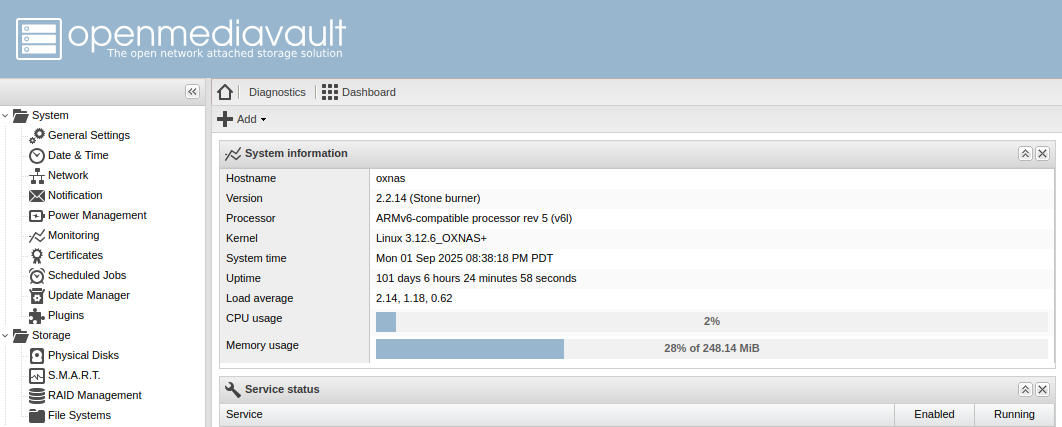
Does this count ARMv6 256MB RAM running OpenMediaVault…hmm I have to fix my clock. LOL
your hardware ain’t shit until it’s a first gen core2duo in a random Dell office PC and 2gb of memory that you specifically only use just because it’s a cheaper way to get x86 when you can’t use your raspberry pi.
Also they lie most of the time and it may technically run fine on more memory, especially if it’s older when dimm capacities were a lot lower than they can be now. It just won’t be “supported”.
I run a local LLM on my gaming computer thats like a decade old now with an old 1070ti 8GB VRAM card. It does a good job running mistral small 22B at 3t/s which I think is pretty good. But any tech enthusiast into LLMs look at those numbers and probably wonder how I can stand such a slow token speed. I look at their multi card data center racks with 5x 4090s and wonder how the hell they can afford it.
I started my self hosting journey on a Dell all-in-one PC with 4 GB RAM, 500 GB hard drive, and Intel Pentium, running Proxmox, Nextcloud, and I think Home Assistant. I upgraded it eventually, now I’m on a build with Ryzen 3600, 32 GB RAM, 2 TB SSD, and 4x4 TB HDD
My first server was a single-core Pentium - maybe even 486 - desktop I got from university surplus. That started a train of upgrading my server to the old desktop every 5-or-so years, which meant the server was typically 5-10 years old. The last system was pretty power-hungry, though, so the latest upgrade was an N100/16 GB/120 GB system SSD.
I have hopes that the N100 will last 10 years, but I’m at the point where it wouldn’t be awful to add a low-cost, low-power computer to my tech upgrade cycle. Old hardware is definitely a great way to start a self-hosting journey.
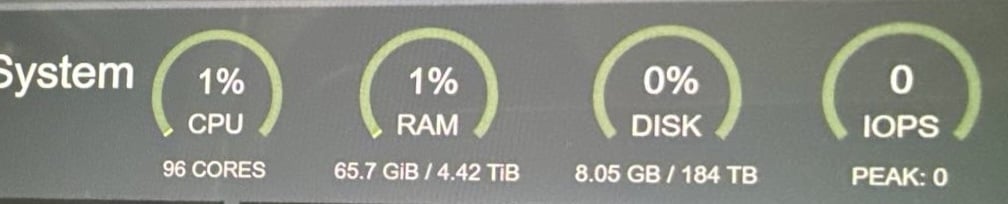
N…not quite…
Yep, mspencer dot net (what little of it is currently up, I suck at ops stuff) is 2012-vintage hardware, four boxes totaling 704 GB RAM, 8x10TB SAS disks, and a still-unused LTO-3 tape drive. I’ll upgrade further when I finally figure out how to make proper use of what I already have. Until then it’s all a fancy heated cat tree, more or less.
2012 Mac Mini with a fucked NIC because I man handled it putting in a SSD. Those things are tight inside!
Those things are tight inside!
( ͡° ͜ʖ ͡°)
Had to buy a special two pronged tool to get her out!
Lol, I used to have an 08 Mac mini and that required a razor blade and putty knives to open. I got pretty good at it after separately upgrading the RAM adding an SSD and swapping out the cpu for the most powerful option that Apple didn’t even offer
When I used to work at the “Fruit Stand” I never had to repair those white back Mini’s thankfully, but I do remember the putty knives being around. The unibody iMac was the worse, had to pizza cutter the whole LCD off the frame to replace anything, then glue it back on!
Lol by the time I actually needed to upgrade from that mini, all the fruit stand stuff wasn’t really upgradable anymore. It was really frustrating, so I jumped ship to Windows.
Those iMac screens seemed so fiddley to remove just to get access to the drives. Why won’t they just bolt them in instead of using glue! (I know why, but I still don’t like it)