The thing is, I don’t think a guide is really needed to install Linux. Most of it is pretty straight-forward. (The only tricky bit that comes to mind is making the USB that you’ve put your distro on bootable. That probably isn’t obvious; and it might not be obvious how to get your computer to boot from a USB anyway if you’ve never done it before.)
Anyway, the way I see it, Microsoft’s guide is more about how you can use Linux while still having Windows. If someone is searching for “how do I install Linux?” Microsoft would obviously prefer the answer to involve something that preserves Windows. First preference: WSL, second preference: Virtual Machine, third preference: dual-boot. And after that, you’re on your own.
Umm… I really don’t know why you’re coming at me with some sarcastic anti-linux shit right now. All I said was that it was pretty easy to install. I didn’t say or imply that it was problem free. As for the problems being ‘made up’, I made a reasonable assumption that GRUB doesn’t care what day of the week it is - and so what you described was hypothetical only.
The thing is, I don’t think a guide is really needed to install Linux. Most of it is pretty straight-forward. (The only tricky bit that comes to mind is making the USB that you’ve put your distro on bootable. That probably isn’t obvious; and it might not be obvious how to get your computer to boot from a USB anyway if you’ve never done it before.)
It’s been awhile since I installed a Linux distro…Have some of them improved guidance related to allocating disk space on install? I remember that was one of the parts that I wasn’t entirely confident I’d handled properly the last few times I did so. Something something swap, something /, and the like.
I did a Mint install a few weeks ago, and I’d say that if you want to preserve some existing OS (i.e. dual boot), then it isn’t super easy. You have to tell it what new partitions you want - and therefore you have to know something about what partitions you should have. The good news is that you don’t actually need any swap or home partition. You can just put it all on one partition - but I don’t think it’s obvious what to do.
On the other hand, if you aren’t trying to preserve something you already have, you can tell the installer to just go with all the defaults, and then you don’t have to know anything about it.
Note: Microsoft’s guide doesn’t mention any of that detail. It basically just says to follow the instructions of the installer.
And after trying Linux inside windows and then inside a VM and realising it runs like shit, they’ll be convinced windows is better, but they’ve been deceived.


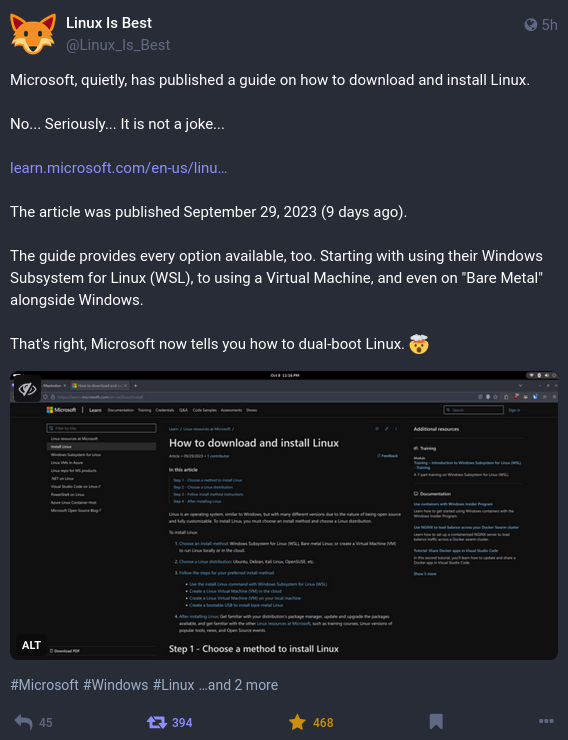
The thing is, I don’t think a guide is really needed to install Linux. Most of it is pretty straight-forward. (The only tricky bit that comes to mind is making the USB that you’ve put your distro on bootable. That probably isn’t obvious; and it might not be obvious how to get your computer to boot from a USB anyway if you’ve never done it before.)
Anyway, the way I see it, Microsoft’s guide is more about how you can use Linux while still having Windows. If someone is searching for “how do I install Linux?” Microsoft would obviously prefer the answer to involve something that preserves Windows. First preference: WSL, second preference: Virtual Machine, third preference: dual-boot. And after that, you’re on your own.
deleted by creator
I wouldn’t count on it… From Microsoft’s point of view, dual booting works as long as you install Windows first - which probably suits them just fine.
Doubt it
You have to install Windows first, then your Linux distro.
Doing that has solved all my problems with Windows being a douche
deleted by creator
deleted by creator
Those are (made up) problems that might arise after you’ve already installed it; and I doubt Microsoft’s guide says much about them.
deleted by creator
Umm… I really don’t know why you’re coming at me with some sarcastic anti-linux shit right now. All I said was that it was pretty easy to install. I didn’t say or imply that it was problem free. As for the problems being ‘made up’, I made a reasonable assumption that GRUB doesn’t care what day of the week it is - and so what you described was hypothetical only.
deleted by creator
It’s been awhile since I installed a Linux distro…Have some of them improved guidance related to allocating disk space on install? I remember that was one of the parts that I wasn’t entirely confident I’d handled properly the last few times I did so. Something something swap, something /, and the like.
I did a Mint install a few weeks ago, and I’d say that if you want to preserve some existing OS (i.e. dual boot), then it isn’t super easy. You have to tell it what new partitions you want - and therefore you have to know something about what partitions you should have. The good news is that you don’t actually need any swap or home partition. You can just put it all on one partition - but I don’t think it’s obvious what to do.
On the other hand, if you aren’t trying to preserve something you already have, you can tell the installer to just go with all the defaults, and then you don’t have to know anything about it.
Note: Microsoft’s guide doesn’t mention any of that detail. It basically just says to follow the instructions of the installer.
And after trying Linux inside windows and then inside a VM and realising it runs like shit, they’ll be convinced windows is better, but they’ve been deceived.
You’re so right! I feel like I always need to try two programs and I am never doing it often enough to actually remember which works.