
You must log in or # to comment.
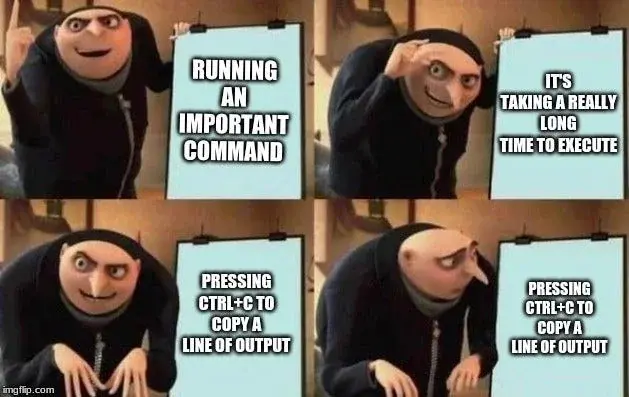
Select text to copy. Middle click to paste.
Don’t use Ctrl…
I never realized that was why people used the primaey clipboard on Linux…
But I’ll be frank : fuck that. I’d rather disable it entirely and stop having to deal with random text pasting in bad places when I’m using the touchpad
What wonky touchpad makes that a problem?
You could use shift -insert instead I suppose.
deleted by creator
what?, no
Don’t they ever test shit?
It’s less that it’s broken and more that it hasn’t been implemented yet AFAIK.
It didn’t load completely at first, so i saw something like this and i think it is even better that way:

Now I’m upset this wasn’t the original haha
I think it works better with the context of the original already present.
I’ve almost gotten into the habit of hitting
Ctrl+Shift+Cwhen I want to copy something because of that.I do that all the time. Opens up developer tools on firefox if you do it.
I open developer tools every day doing that!
Yes. And on Microsoft Teams that triggers a chat call.
Burn it with fire!
😂
That solution ish the worst. Ctrl-shift-c does a shitload of different things in different programs, and in browsers it does different things per page.
Ctrl-ins, shift-ins, shift-del for the win bit THEN some programs simply refuse to support that.
I have like 4 different copy paste short cuts because of this and it sucks
I’m not saying it’s great, but at least in my use I haven’t seen it being destructive/disruptive like
Ctrl+Cis.Ctrl-c for copying is a windows thing and it’s annoying.
Ctrl/Shift+Insert gang rise!
Kitty has the feature that if you have text selected it will copy and if not then it will interrupt the command
Oh what a great way to further entrench a bad habbit! Hang on I need to remedy some refactored code with
rm -rf *which Kitty made safe if I’m in a directory with my project files 🙄
I see myself in this meme and I do not like it.
Running a long command and didn’t ctrl-D it…
I’ve changed this on all my terminals and I’m not ashamed of it.
I literally just learned about Ctrl+c last week, I’ve been using terminal casually since I was 10, and always thought it was dumb that when a script was stuck hanging that I had to close the command window and redo my steps. I always thought it was weird that you had to right click to copy something and never thought why that might be the case, I have no excuses.
I don’t remember the last time I used ctrl-C. It’s always select or
"+y.I additionally mapped that latter one to
F2, because being able to repeatedly copy from VIM and paste into another application without having to move your hand between mouse and keyboard is nice.Of course, that’s VIM. If you meant “vim mode” in shell, then that’s a different story.
And I just
set clipboard unnamedplus
press enter and then immediately CTRL+C to stop, then anytime u need u can press UP to go back to where you were
You missed the point of the meme…
no i was trying to show my method for avoiding that. i get the joke but i was also trying to be actually helpful
I can’t for the life of me figure out how your proposed method helps in the described scenario.
Maybe I misunderstood it, can you elaborate?
With your method, as soon as you hit control+C, the program is terminated.
Or what are you doing to avoid the program being terminated?